Take Me to the Pumpkin Patch: A Charming Digital Art Resource for Creative Projects
What Exactly Is "Take Me to the Pumpkin Patch"?
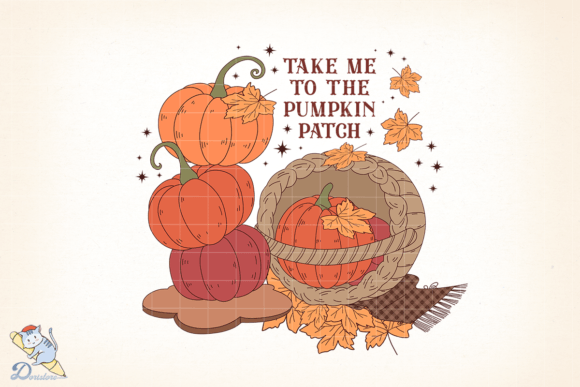
"Take Me to the Pumpkin Patch" is a hand-drawn digital illustration created with pen and ink in a freehand flowing style. The artwork captures the cozy, nostalgic charm of a fall pumpkin patch, perfect for seasonal designs. It's digitally enhanced with soft watercolor brushes to highlight key elements, giving it a warm and artistic feel. The final product is delivered as a high-quality PNG file, ready for use in a variety of creative and commercial applications.
Who Can Benefit from This Digital Illustration?
This digital artwork is ideal for creators, small business owners, and DIY enthusiasts who want to add a touch of autumn charm to their projects. Whether you're designing greeting cards, creating seasonal décor, or launching a themed product line, this image brings a handcrafted, organic aesthetic that resonates with audiences during the fall season.
For example, a local bakery might use the image on custom cupcake wrappers or seasonal packaging. A boutique could incorporate it into window displays or social media graphics to promote autumn sales. Teachers might print it on stickers or handouts for classroom activities around harvest time. Each of these applications leverages the image's warm, inviting tone to enhance engagement and visual appeal.
How Can You Use This PNG File?
Delivered as a 300 DPI, 4000×4000 pixel PNG in a zipped folder, this file is scalable and suitable for both digital and print use. Its transparent background allows for easy integration into different design layouts without the need for additional editing.
- Sublimation printing: Use it on mugs, tote bags, or T-shirts for a cozy autumn look.
- Waterslide decals: Apply it to candles, glass jars, or ceramic plates for seasonal crafts.
- Regular printing: Print on cardstock or sticker paper for invitations, labels, or planner inserts.
Because it's a digital instant download, you can start using it immediately without waiting for shipping or setup. This makes it especially useful for last-minute projects or seasonal campaigns where timing is critical.
Real-World Applications Across Industries
Event planners can use "Take Me to the Pumpkin Patch" to create cohesive fall-themed décor for weddings, baby showers, or harvest festivals. Imagine using the image on table numbers, welcome signs, or digital invitations — all tied together with a warm, rustic aesthetic.
Content creators and influencers can incorporate the image into blog graphics, Canva templates, or Instagram stories to enhance seasonal storytelling. It adds a personal, hand-drawn touch that stands out in a sea of generic stock images.
Etsy sellers and print-on-demand entrepreneurs can integrate the design into their product lines. Whether it's printed on phone cases, wall art, or seasonal greeting cards, the image offers a versatile base that appeals to autumn-loving customers.
Important Considerations Before Use
While the image is highly versatile, there are a few things to keep in mind before incorporating it into your projects:
- No cutting files included: If you're planning to use the image with a Cricut or Silhouette machine, you'll need to create your own cut lines or use the image as-is in your design.
- Color variations: Colors may appear slightly different across screens and printers. Always test a small print sample before producing large quantities.
- Transparent background: While this is a benefit for design flexibility, ensure your software or printer settings support transparency to avoid unexpected results.
Strengths and Limitations
One of the main strengths of "Take Me to the Pumpkin Patch" is its hand-drawn authenticity. The pen and ink style combined with soft watercolor highlights gives it a unique character that mass-produced graphics often lack. This makes it especially valuable for brands or creators looking to stand out with a more personal, artisanal touch.
However, because the image is static and not layered or editable, customization options are limited. If you're looking for something you can fully customize in design software — like changing individual colors or rearranging elements — you may need to work around the fixed composition.
Additionally, while the high resolution allows for scaling up, it's important to consider the context in which the image will be used. For example, printing on small items like stickers may require resizing, while large banners or posters can take full advantage of the 4000×4000 pixel resolution.
Designing with "Take Me to the Pumpkin Patch"
When incorporating this illustration into your design, consider pairing it with complementary fonts and colors to enhance the overall theme. A rustic script font with warm tones like burnt orange, deep red, and golden yellow can make the watercolor highlights pop.
If you're using the image for print, consider the paper type — matte or textured paper can enhance the hand-drawn feel, while glossy paper will make the colors stand out more vibrantly. For digital use, ensure the image is optimized for web to maintain fast load times without sacrificing quality.
Final Thoughts
"Take Me to the Pumpkin Patch" is more than just a seasonal illustration — it's a versatile digital tool that brings warmth, charm, and personality to a wide range of creative and commercial uses. Whether you're a small business owner, a DIY crafter, or a digital creator, this PNG file offers a ready-to-use solution that can elevate your fall-themed projects with minimal effort and maximum impact.